Lunch-and-learn deck template: a finished example
An internal session, "Using generative AI safely at work": a staff survey, good and poor uses, three company rules, a prompt pattern and a real result, for 30 minutes. 10 slides.
Made with SlideAI from the prompt below. The company and figures are fictional; every slide is filled in, so you can see what a finished deck of this kind looks like.
All slides
What is on each slide
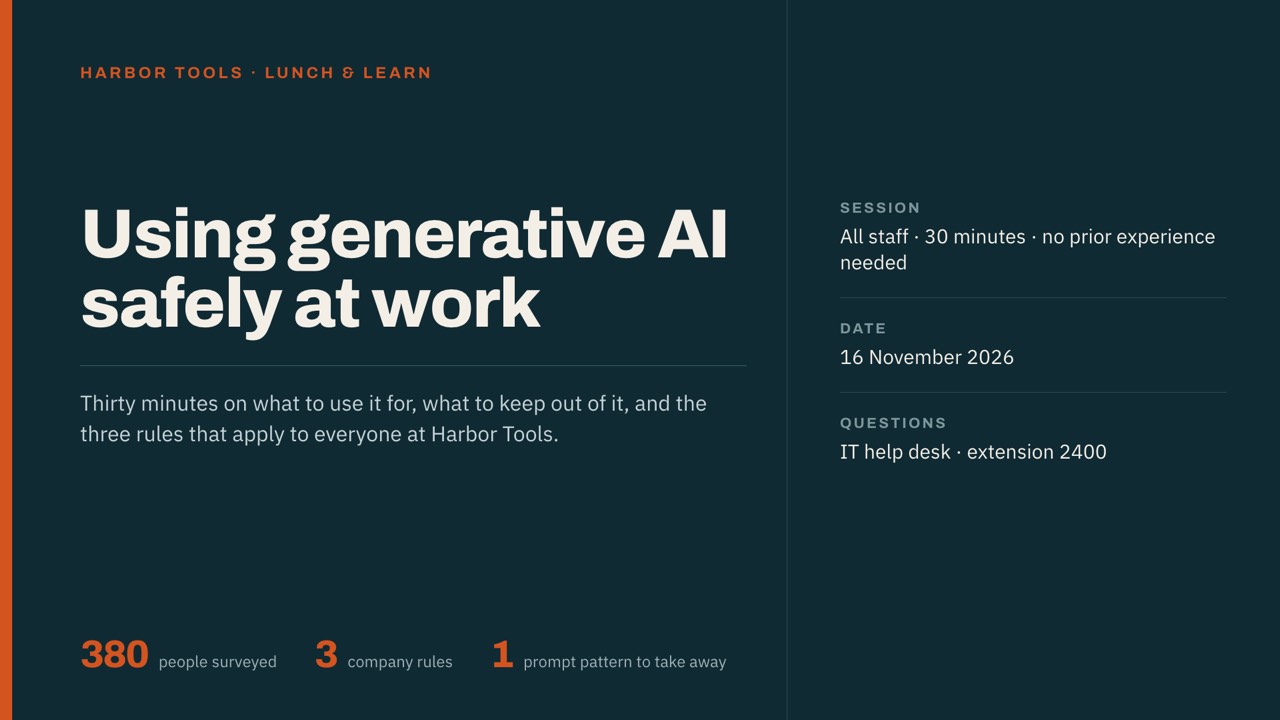
- Using generative AI safely at work
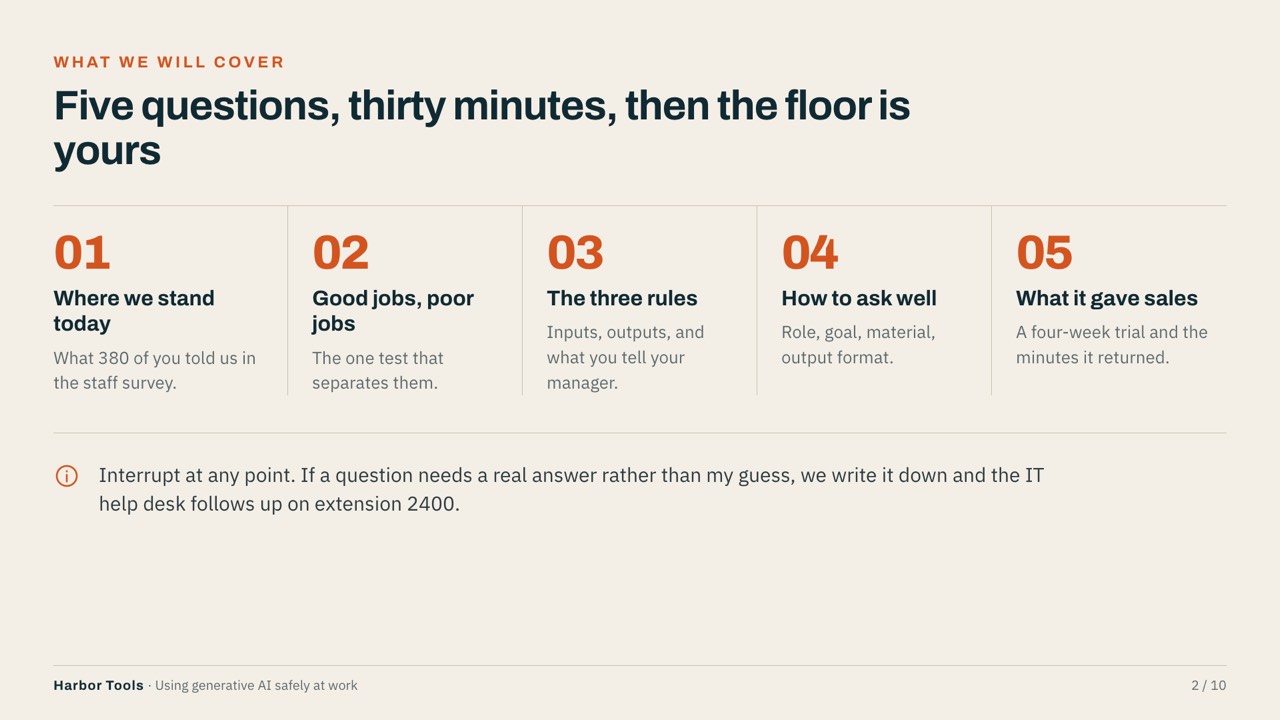
- Five questions, thirty minutes, then the floor is yours
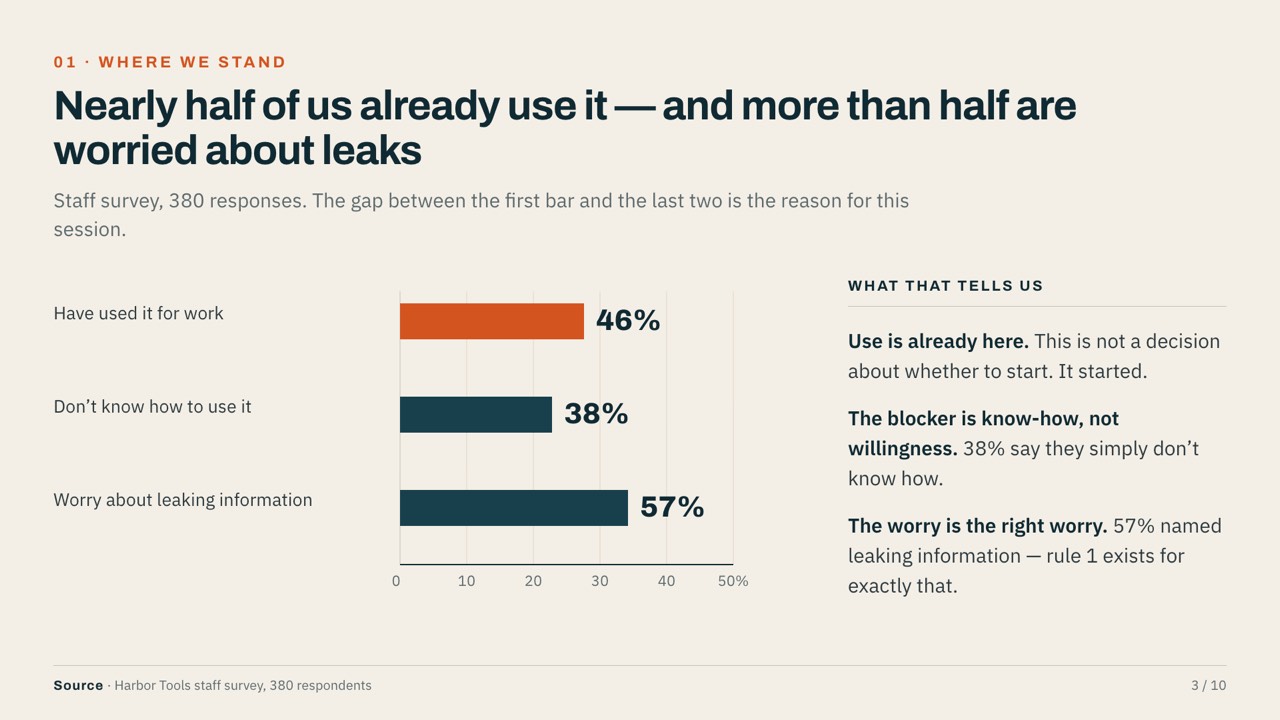
- Nearly half of us already use it — and more than half are worried about leaks
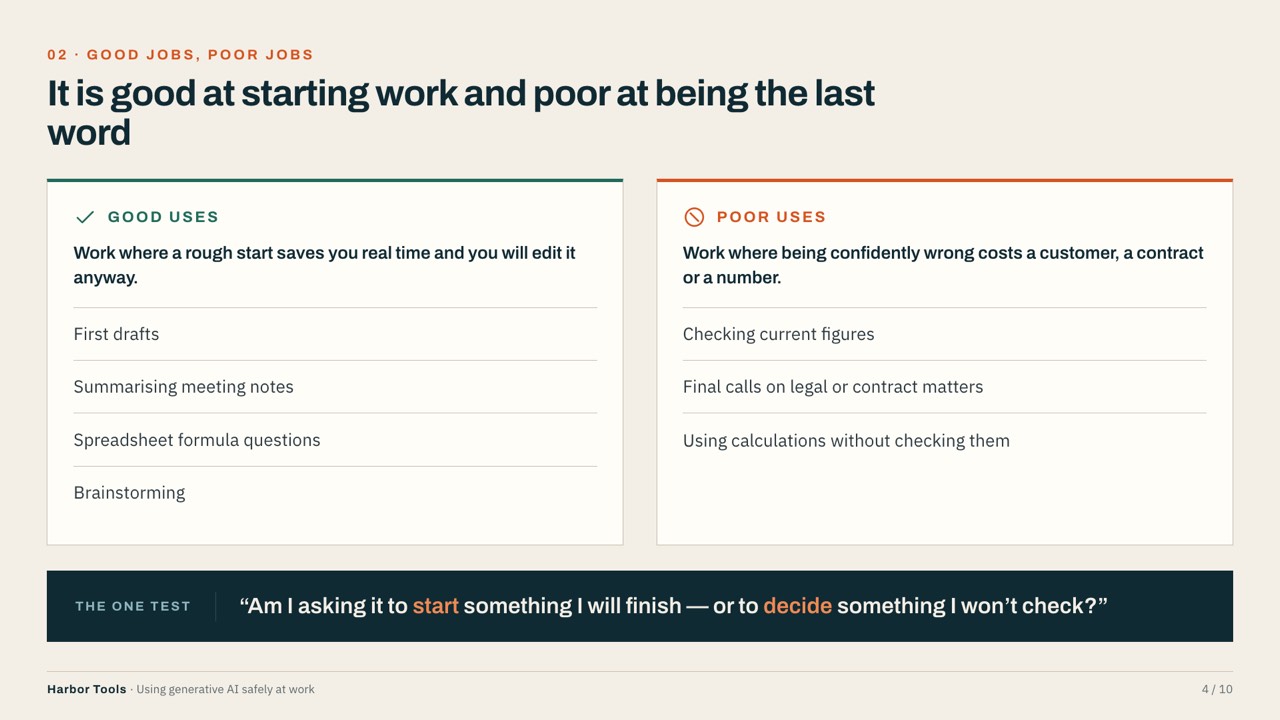
- It is good at starting work and poor at being the last word
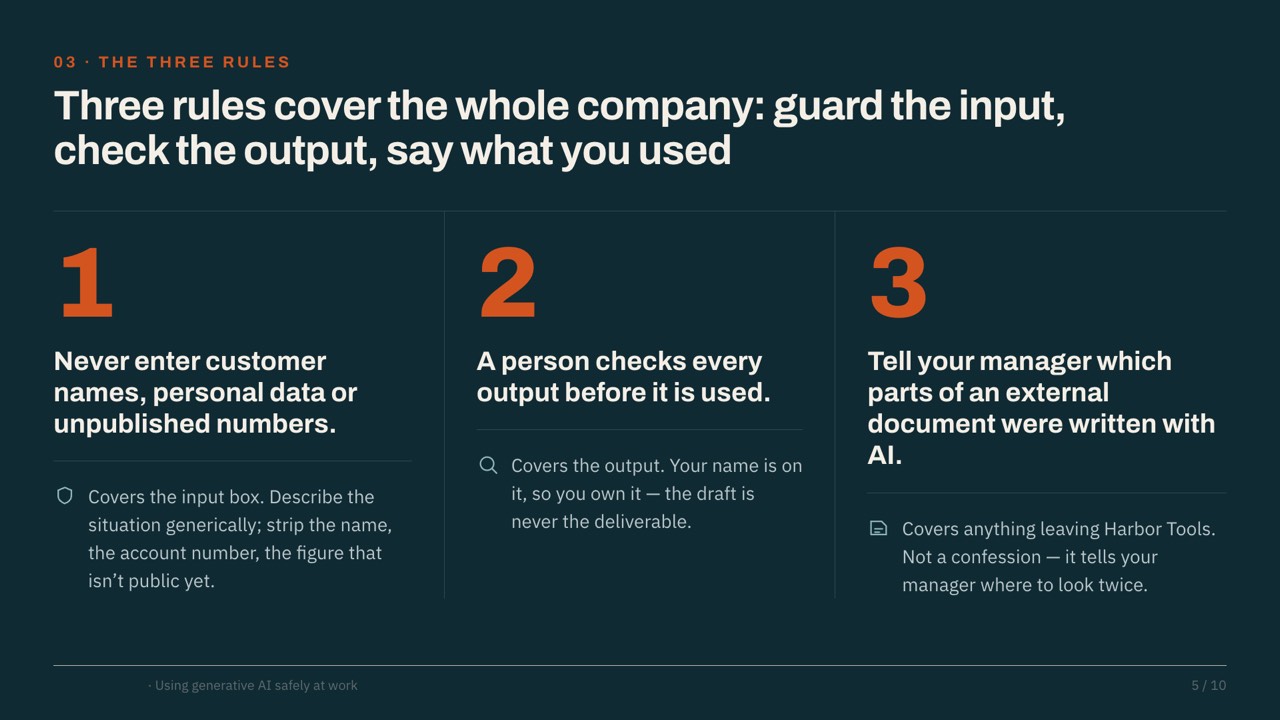
- Three rules cover the whole company: guard the input, check the output, say what you used
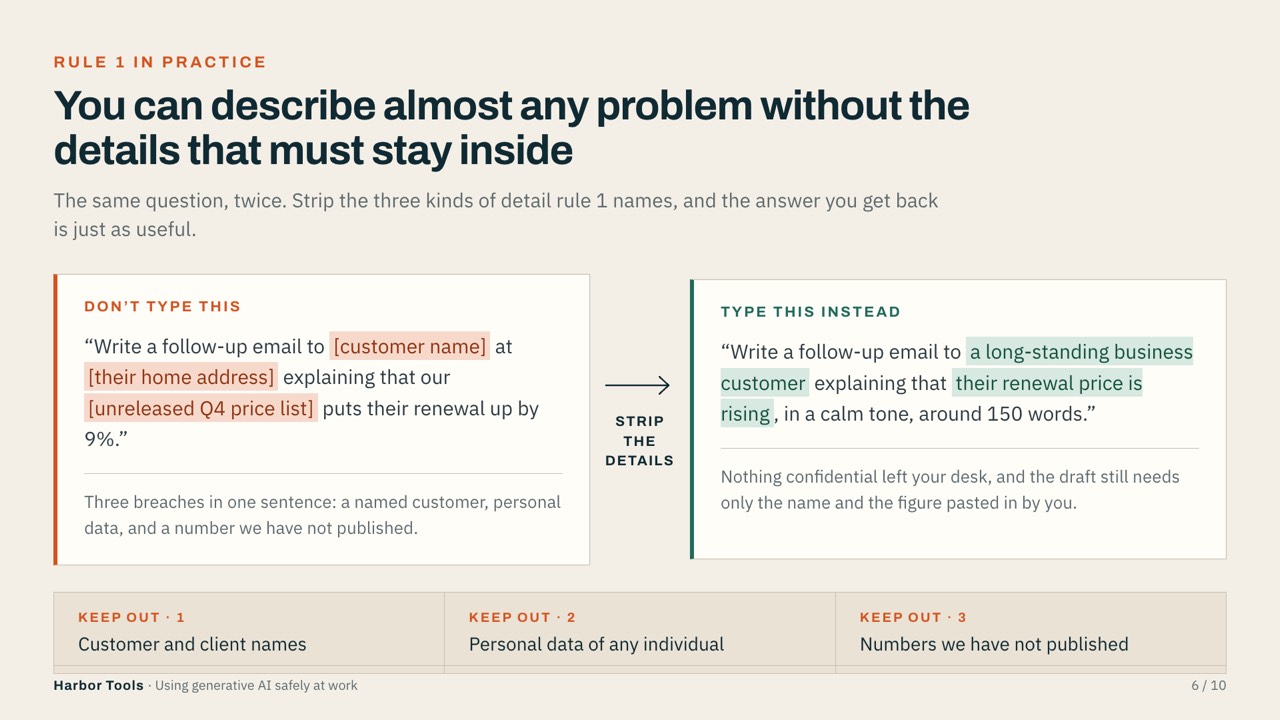
- You can describe almost any problem without the details that must stay inside
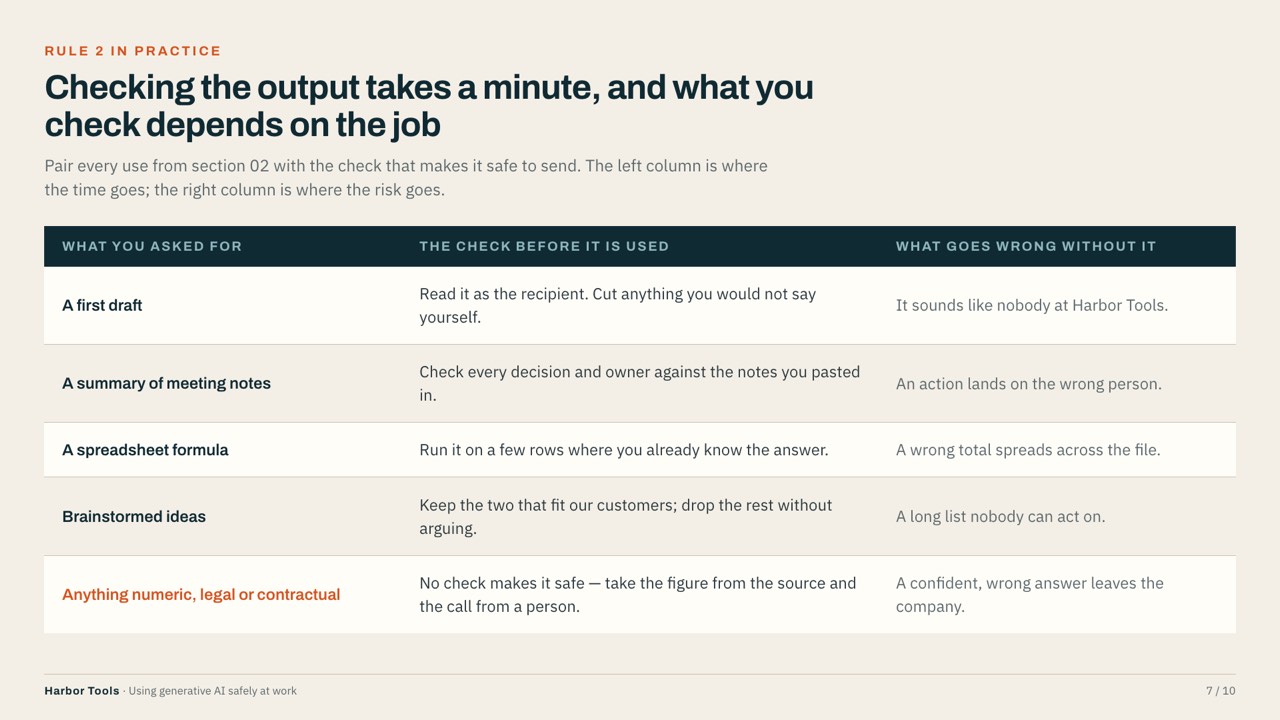
- Checking the output takes a minute, and what you check depends on the job
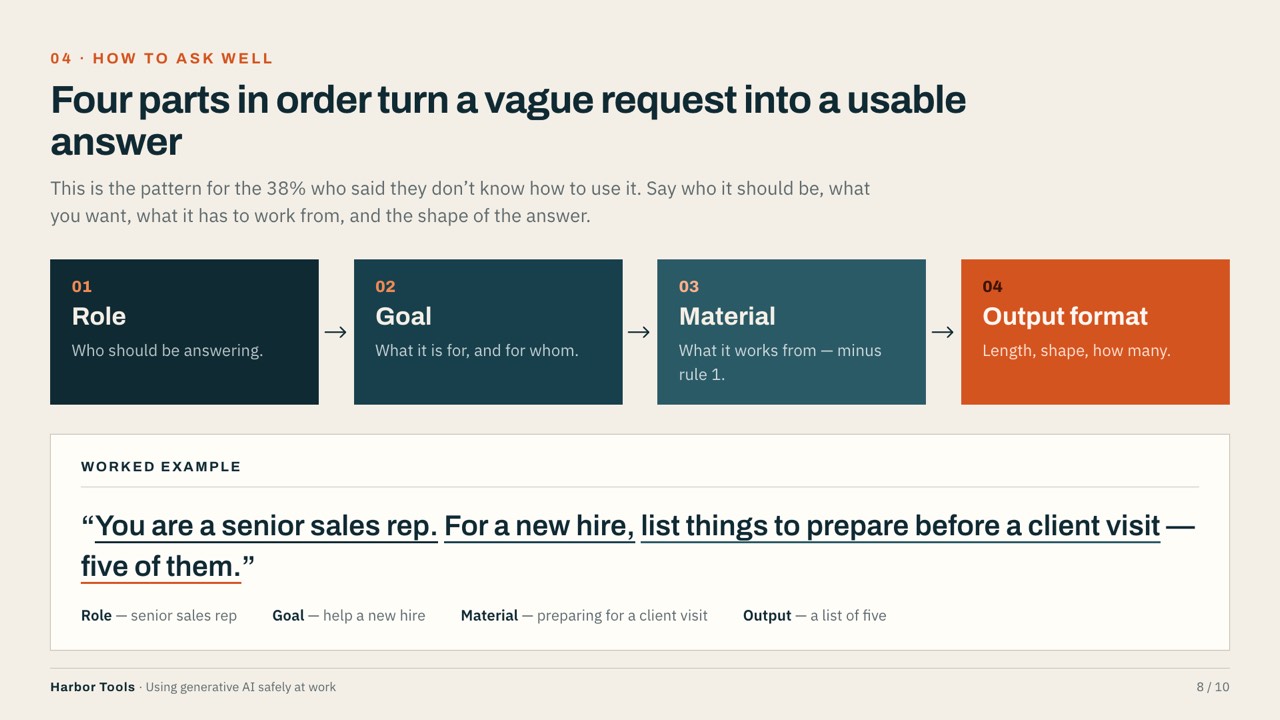
- Four parts in order turn a vague request into a usable answer
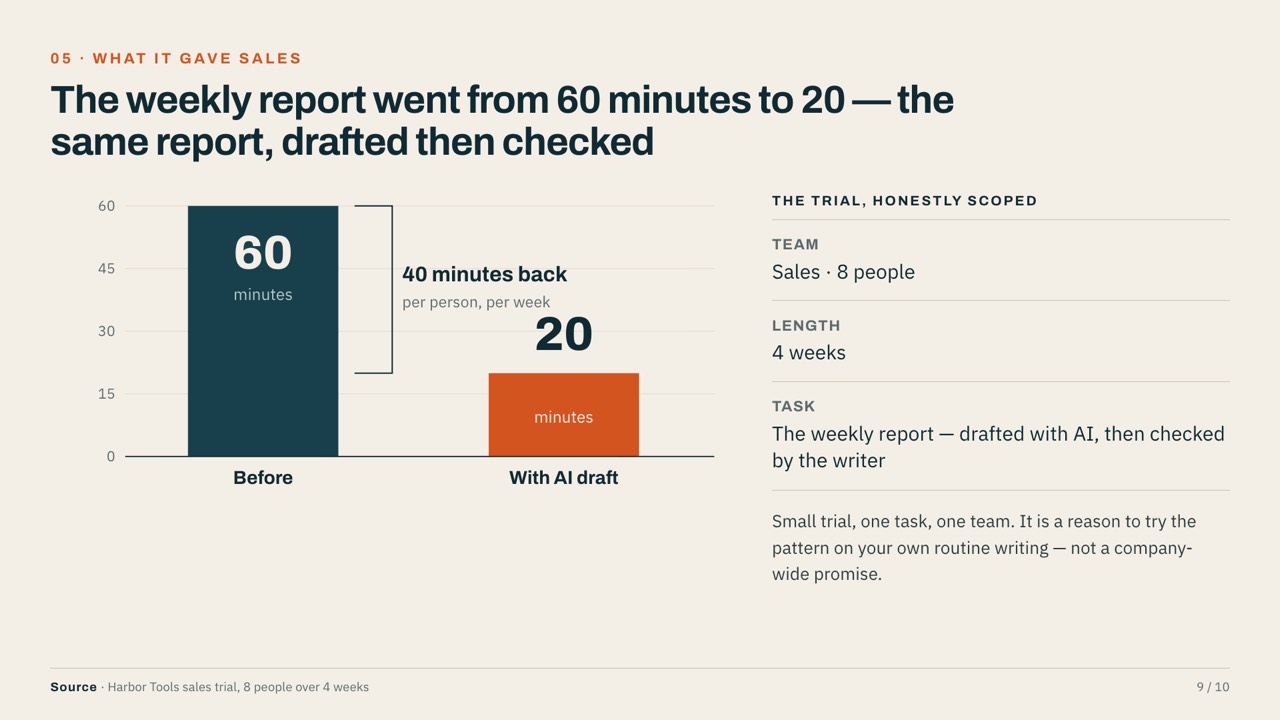
- The weekly report went from 60 minutes to 20 — the same report, drafted then checked
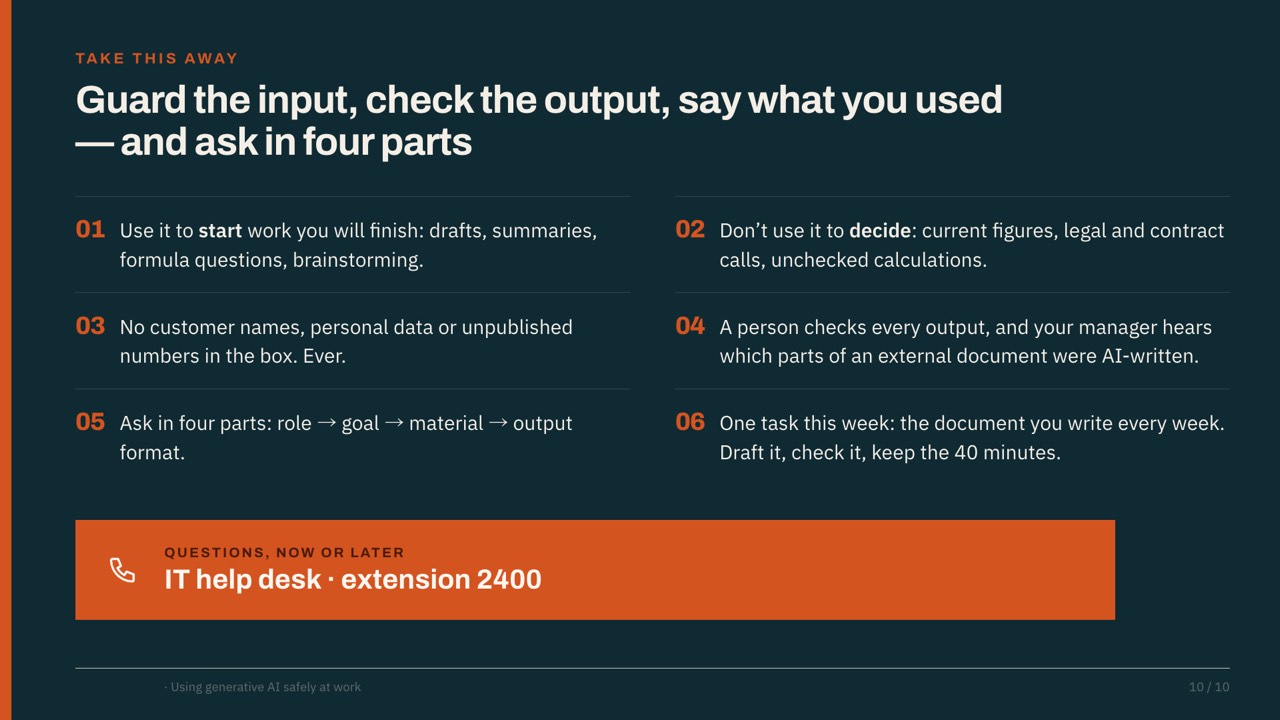
- Guard the input, check the output, say what you used — and ask in four parts
How to write this kind of deck
- Open with numbers from your own staff, so it feels relevant.
- Keep to about three rules and show each with an example.
- End with a real internal result and who to ask for help.
Make your own version
Questions
Is this Lunch-and-learn deck template free?
Yes. The PDF is free to download and use, with no sign-up.
Can I edit it in PowerPoint?
Make your own version in SlideAI from the prompt on this page, then export it as PPTX and edit it in PowerPoint, Keynote or Google Slides. The first deck is free.
Is the company real?
No. The company, products and figures are fictional examples.
How was this deck made?
SlideAI wrote and designed it from the prompt shown on this page. Nothing was edited by hand afterwards.